Lot's of network diagram templates, network diagram symbols and
network diagram examples will help to quickly create the most common network
diagrams. An intuitive interface helps to create accurate diagrams in
minutes. Just drag and drop pre-drawn shapes representing computers and
network devices. Double click and set equipment data. Create detailed
physical, logical and network architecture diagrams, using a comprehensive
set of network and computer equipment shapes.
Why Choose Edraw to Draw Computer Network Diagrams
Network Diagrams such as home network diagrams, wireless
network, network cable, logical network, network wiring, LAN network, activity network,
network topology, local area network, physical network diagrams, network security diagrams,
network wan, network wiring cable, network cabling, and network voip diagrams are very complicated to
draw by hand. Edraw provides an all-inclusive collection of templates, symbols and
computer clip-art images to rapidly create all these diagrams, even Motherboards,
Network Topologies, Peer-to-Peer (P2P), LAN/WAN Design and Network Cabling.
It
will help you create computer network diagrams within minutes, comprises 2D and
3D networking symbols, block diagramming symbols and Cisco network symbols. It
can create customized libraries of network components, and can draw detailed
network diagrams showing placements of network equipment and their logical and
physical connections and arrangement. Edraw enables shared network diagrams on
via web or in a business presentation enhancing business communication.
Makes Your Network Topology Specialty with Network Diagram Software
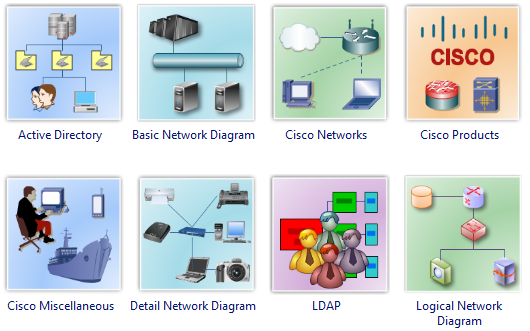
Provides four sets of network diagram icons.
Logical network diagram symbols, physical network devices, 3D
network diagrams and Cisco network diagram icons.
Includes thousands of ready-made graphics and templates for
computers, servers, hubs, switches, printers, mainframes, routers, cables,
faxes and lots more.
A bundle of network diagram examples
and templates. Network drawing does
not need to start from scratch. Just drag the ready-made network symbols from the
libraries and
drop them on your page. Network drawing couldn't be easier!
You don't need to be an artist to create great-looking
results! Edraw helps you align and arrange everything perfectly.
Common graphic format support and
printing are WYSIWYG (What You See Is What You Get).
What you see is what you get. Zooming,
scrolling, multi-selection and multi-level undo/redo
supported. No network drawing artistic skills are required. Automatically
aligns and arranges everything so your network drawing looks great.
Distinct colors, fonts, shapes, styles,
pictures, text and symbols for each object of the diagram are
available.
No Other Computer Network Diagram Software Gives you All This
Easy-to-use network diagram tool with rich examples and
templates.
Great value for the money.
30 day product refunds guarantee.
Free upgrade for ever, free technology
support.
In-depth tutorials to help you learn to
draw network diagrams.
Independent Reviews of Our Network Diagram Software
"Edraw is outstanding network drawing software. It's
an excellent drawing tool, but better than Visio, and I
created beautiful network diagrams in minutes. If network
diagrams are the only thing you plan to use it for, Visio
probably a little overkill, and Visio is too expensive for my taste. Now I've
found Edraw, I've found my network document software!"
"This has to be one of the best
network diagram tools I've come across by far -
it's so simple! It has made my network schematics much
more fun to do!"
"As a Network Engineer, I've used several
expensive products to produce network diagrams. I just
wanted to say that Edraw is just as good, only better value for money!
It's idea for network planning and network design. Superb!"